OpenCode offers a free, no‑rate‑limit alternative to Claude Code
OpenCode, an open‑source terminal AI coding agent, lets developers bypass Claude’s 5‑hour rolling window and weekly cap that can cut off heavy users. The author, a frequent Claude Code Pro subscriber, switched to OpenCode after noticing the window reset from the first prompt, which made it hard to track usage. OpenCode is installed via a single npm command and connects to any provider; the…
Key points
- OpenCode removes Claude’s 5‑hour and weekly usage caps, charging per token instead.
- The free “Big Pickle” model offers a stealth, no‑subscription experience with data‑use trade‑offs.
- Two modes—Build and Plan—allow safe code exploration before execution.
The tool provides two modes: Build, which can edit files, and Plan, which is read‑only and enforces write restrictions. This design lets users audit code before execution, reducing the risk of accidental changes. OpenCode’s pricing is straightforward: a prepaid balance with auto‑recharge, no hidden limits, and the free model’s data may be used for training during the trial.
Overall, OpenCode gives developers a lightweight, cost‑effective way to experiment without the anxiety of hitting rate limits, making it a practical complement to Claude’s GUI‑based workflow.
I switched to Claude Code's open-source rival and stopped worrying about rate limits
xda-developers.com · 15 September 2026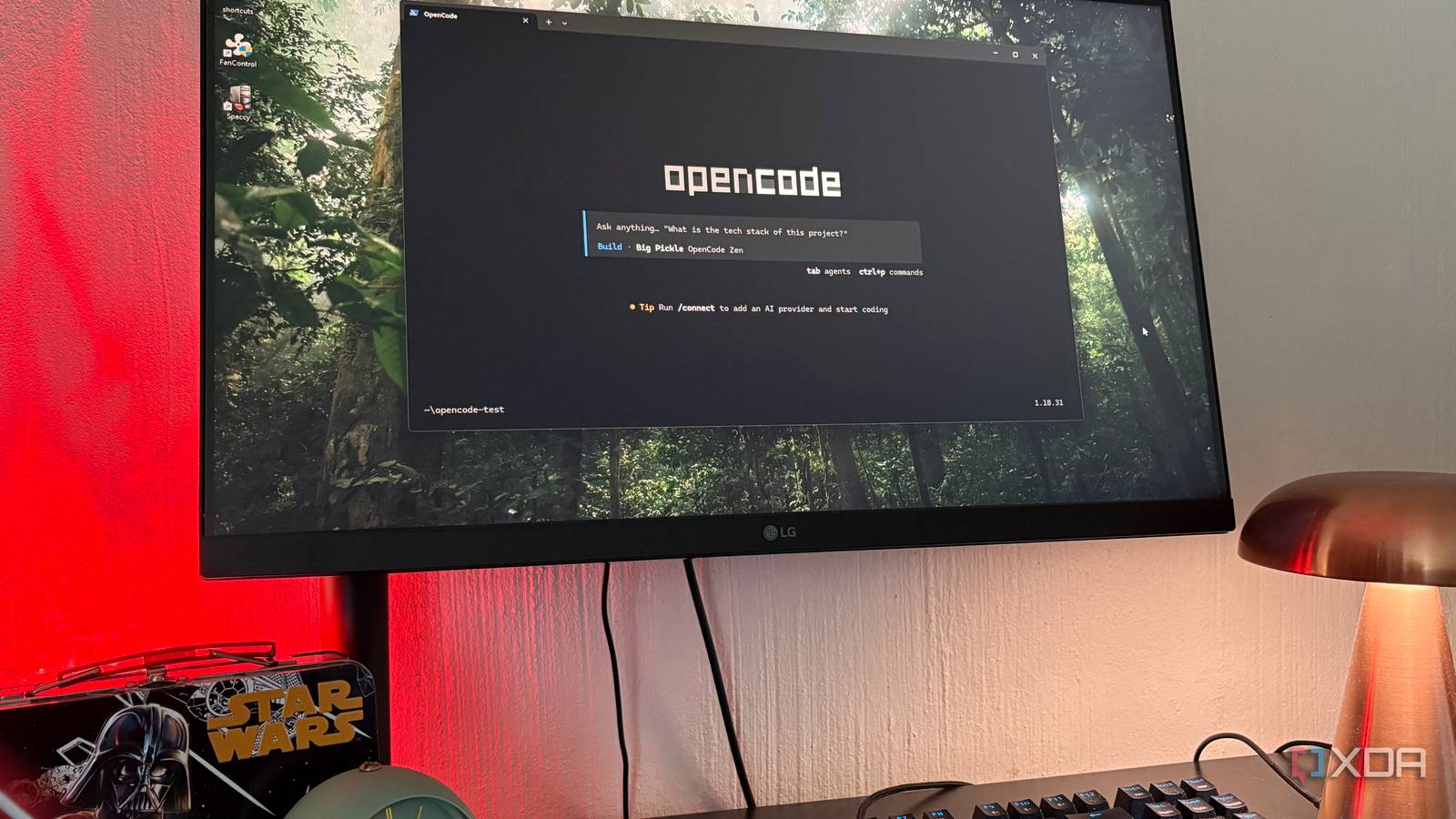
Every paid Claude plan meters usage in two ways: a rolling 5-hour window and a weekly cap across all models, and that quota is shared with Claude chat and whatever else is running on the same account. So if you're a heavy Cowork or Claude Design user in addition to Claude Code, then you're out of luck or onto the Max plan.
The 5-hour window is the one that keeps catching me out, because it resets from your first prompt, not from midnight or any fixed time, so I'd lose track of when the clock actually started. A heavy morning in Claude chat could shrink my afternoon coding window without me realizing. Before rushing to Max, I started looking for alternatives that might reduce the heavy rates, and that's when I decided to try OpenCode…
Want to stay in the loop with the latest in AI? The XDA AI Insider newsletter drops weekly with deep dives, tool recommendations, and hands-on coverage you won't find anywhere else on the site. Subscribe by modifying your newsletter preferences!
The terminal scared me off at first
I just assumed a command-line tool wouldn't be for me
I don't code apart from adjusting some html from time to time, so every time I saw "terminal-based AI coding agent" in a headline, I assumed it wasn't for me and scrolled. Which, looking back, is a bit silly, because OpenCode is in the same category as Claude Code, and I'd been using Claude Code without a problem - but in the desktop GUI, whereas OpenCode is terminal-only.
The install was just one line pasted into the terminal, and opening OpenCode from my folder of choice. And then it's just a matter of navigating the keyboard commands to set yourself up with a provider, a model, enter different modes, and access the commands. In a way, this is actually much simpler than Claude's Code's GUI since there aren't a million-and-one things on the screen to distract me. I could definitely get used to this.
I installed it through npm with npm install -g opencode-ai, which needs Node.js on your machine. There's also a one-line curl install if you're on Mac or Linux (curl -fsSL https://opencode.ai/install | bash) but on Windows the npm route is cleaner.
OpenCode's billing is different
And the model selection is wild
OpenCode is open-source, built by a small team that also runs the open-source dev framework SST, and it works with dozens of AI providers rather than being locked to one. So which model powers it is entirely up to you. Before getting started, you'll have to hit /connect to pick a provider, and the options here are kind of overwhelming. I went with OpenCode's Zen provider since I'm still new here and it was the recommendation. As for models, all the big names from Claude and Google are there, but since my goal was to reduce my rate limits, I went with OpenCode's own model entry, Big Pickle, to start with.
Claude Code Pro is a subscription, but it doesn't give you unlimited use of that subscription. It gives you roughly 90 prompts per rolling 5-hour window, plus a weekly cap across all models, and that pool is shared with everything else you do on Claude. Hit the wall and you have two choices: wait for the window to reset, or opt in to usage credits and keep working at standard API rates on top of what you're already paying monthly.
OpenCode doesn't have that mechanism at all; it's just a client. Whatever provider you connect through /connect sets the terms, and Zen works on a prepaid balance instead of a subscription window. You send prompts until your balance runs out, so there's no 5-hour timer, weekly cap, or annoying "you're about to run out" pop-ups. Zen will auto-reload $20 when you drop below $5, which I turned off because I wanted a hard cap.
OpenCode calls Big Pickle a "stealth model" which is free during its testing period. There is a catch, though. During the free period the data collected may be used to improve the model, which is a different tradeoff than paid Zen models where zero-retention is the norm. I'm fine with it given how I use it, which is simply experimenting with vibe-designing and also doing some computer admin. Others might not be, though, so it might be worth hooking it up to something else instead.
The question is what happens when Big Pickle isn't free anymore, because it won't be forever, and neither will other free-tier Zen models like DeepSeek V4 Flash Free or MiMo-V2.5 Free. The answer is that even on paid models, there's still no subscription window. You pay per token; prices range from cents to hundreds of dollars per million tokens depending on what you pick, and the worry moves to running out of balance rather than hitting a wall the app decides you should hit.
On Claude Code, rate limits are just a thing you're always sort of aware of. On OpenCode with a free model, they're not really a factor, and on a paid one it becomes more about watching your balance than getting cut off. There's no 5-hour window or weekly cap either way, you're just paying token rates directly, same as Claude Pro's extra usage but without the subscription on top of it.
Build mode and Plan mode are the reason exploration doesn't feel expensive anymore
Exploration used to cost me, now it doesn't
OpenCode has two built-in agents you swap between with the Tab key. Build is the default with full access, and it does what it sounds like - working directly with your files. Plan is read-only, it can look at your files but not touch them, and that restriction is actually enforced at the permission level rather than just in the system prompt, so the edit and write tools are hard-denied and the model can't modify a file even if I ask it to. This is basically read vs. write that you'll see in most GUI-based agentic tools.
Bash commands aren't fully locked down in Plan mode though. A read-only-looking command can still change remote state, something like gh issue comment will happily post to GitHub without touching a local file. So Plan mode isn't a total safety net, just a very good one for the specific class of thing it covers.
On Claude Code I'd think twice before asking "walk me through what this whole project does," because that's a big context read and I could feel the quota ticking. On OpenCode, with Big Pickle in particular, Plan mode is now my default entry point for anything unfamiliar. This is what I use to have scripts explained to me before I run them, what would happen if I change a config, and just general auditing of folders so I know exactly what to touch or not touch in them.
For vibe-coding specifically, Plan mode ends up functioning like a free consultation before every Build session starts. I get the AI to describe what it would change and why, then Tab into Build and let it execute the plan I already agreed to. For computer admin, which is my other main use, Plan mode basically just keeps me from breaking the system.
On a metered plan I'd never have spent prompts on exploratory questions like these. On OpenCode I front-load the understanding, then only Build once I know what I want.
The Claude rival I've been ignoring
I'm still in Claude nearly every day for my general work, so this isn't about breaking up with it. But for anything where I know I'm about to explore or get stuck, OpenCode is honestly the better option because its caps aren't nearly as restrictive (or expensive). Guess I never had reason to be scared of terminal-based tools after all.
This text was published by xda-developers.com and written by Nolen Jonker. It is reproduced here with attribution so you can read it in full; the rights remain with the publisher. Read it at the source ↗
The headline, key points and digest above were generated by Digest AI's editorial model from the linked sources. Automated summaries can contain errors: the sources are the record. Spotted a mistake? Tell us.
More in Agents & Tools
All →- Meta enables AI agents to automate WhatsApp Business setup via new MCP server · 1 src
- New AI hotlines let autonomous agents report misbehavior · 1 src
- Hugging Face releases tool to cut AI agent consistency gap by half · 1 src
- AI agents flood inboxes and platforms, disrupting online interactions and services · 1 src
- Meta Launches Muse AI Agent as Morgan Stanley Predicts 25% Stock Upside · 8 src
Comments
via GitHub Discussions