Claude’s built-in browser helps users compare tools without leaving chat
The author swapped AI browsers like Comet or Dia for Claude’s built-in browser, which runs separately from their main browser. Since August, Claude’s desktop app has included a Chromium-based browser pane that opens automatically when a request requires web content. It reads pages, clicks forms, and maintains tabs without touching the user’s real browser or logins—though it does use regular…
What you can do with it
AI at Work →Compare software features and read docs in Claude’s built-in browser
What you get You can compare pricing plans and review tool features.
Opens tabs, extracts details, and organizes data into tables.
- Who for
- marketers
- Cost
- included in a tool you already have
Use it for
- Compare pricing plans
- Review tool features
- Extract key details
How to set it up · From the article
- Ask Claude to open the relevant websites in its built-in browser pane.
- Request a comparison table of key details (e.g., features, pricing tiers, setup steps).
- Review the output and manually check live pages if needed for accuracy.
Watch out Uses regular Claude credits
Key points from the news
- Claude’s built-in browser runs in a separate pane inside its desktop app, using Chromium and no extra setup
- Users can compare software features, read long documents, and extract details without opening tabs in their main browser
- Anthropic warns of prompt injection risks but emphasizes the browser doesn’t import logins or cookies by default
The setup saves time on research tasks like comparing software features or reviewing open-source projects. Claude opens relevant pages, extracts details (e.g., pricing, last commit dates), and organizes them into tables or notes. It also reads long-form content and highlights key points with source citations. While occasional inaccuracies (like outdated GitHub star counts) require manual verification, the author finds the tool more reliable than juggling multiple browser tabs. The separation from personal accounts addresses security concerns, though Anthropic notes hidden instructions on pages could still influence Claude’s behavior.
I stopped using AI browsers and replaced them with this Claude setup
xda-developers.com · 18 November 2026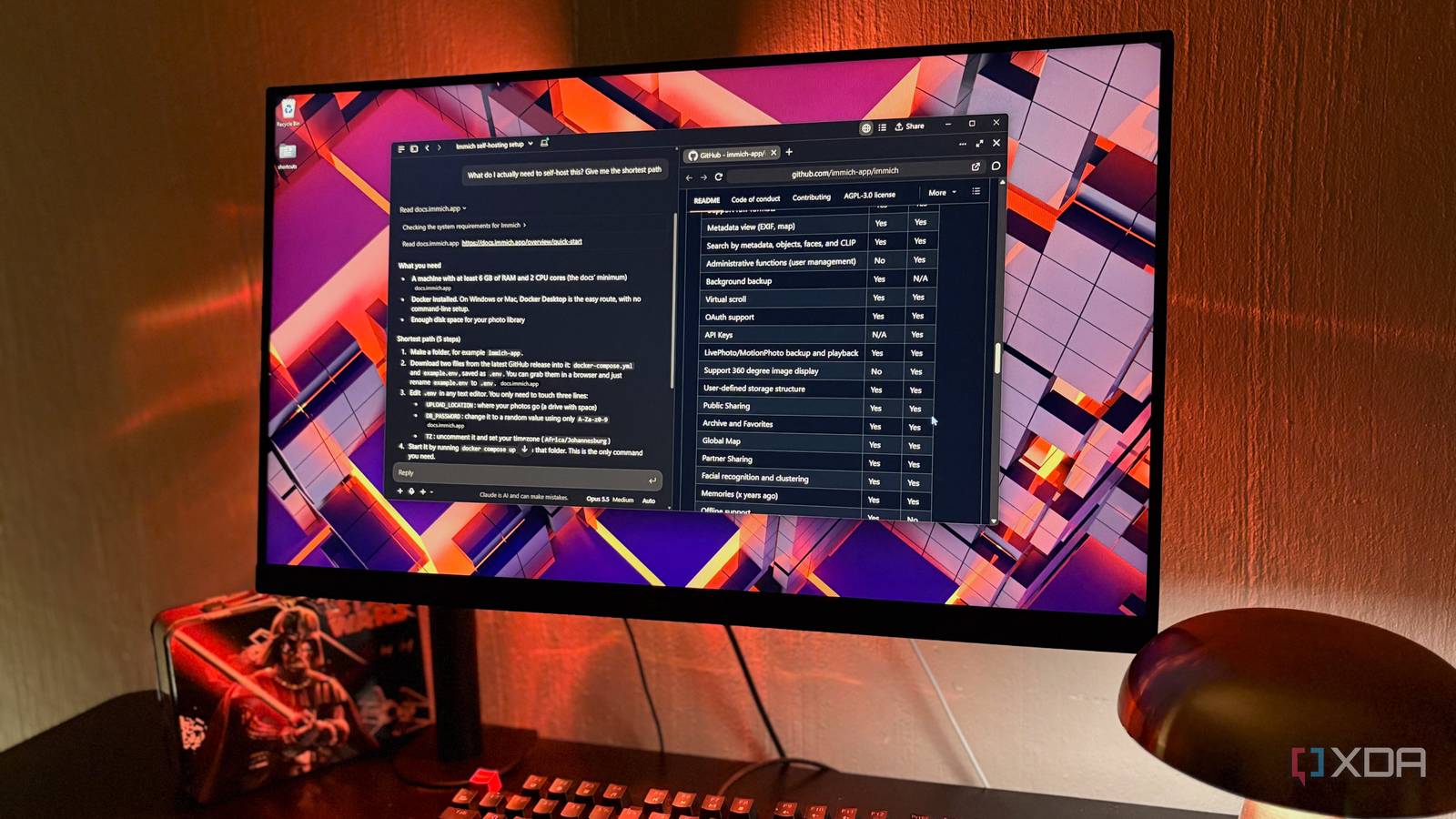
Loading the full article…
This text was published by xda-developers.com and written by Nolen Jonker. It is reproduced here with attribution so you can read it in full; the rights remain with the publisher. Read it at the source ↗
The headline, key points and digest above were generated by Digest AI's editorial model from the linked sources. Automated summaries can contain errors: the sources are the record. Spotted a mistake? Tell us. Published by Martin K., who runs Digest AI and handles corrections.
More in Agents & Tools
All →- A thought on why Docker Sandboxes might be the only choice for safely letting Claude Code 'run autonomously'. · 1 src
- Sarvam AI ships 105B checkpoint for on-premises enterprise agents at $0.15 per million tokens · 1 src
- Anthropic adds Code and Projects tabs to Claude mobile app · 1 src
- Visa CLI adds card verification for AI agents and OUSD payouts · 1 src
- GanttPRO adds AI agents to live project scheduling with MCP · 1 src
Comments
via GitHub Discussions