Julius AI turns Excel data into editable PowerPoint presentations
Julius AI automates the process of converting Excel or CSV data into editable PowerPoint presentations. The tool guides users through a step-by-step workflow: first verifying data accuracy, then analyzing key metrics, and finally generating slides based on verified findings. The tutorial uses a hypothetical quarterly marketing report with revenue by channel and ad spend data to demonstrate how…
What you can do with it
AI at Work →Draft PowerPoint slides from Excel data in minutes
Converts Excel/CSV data into PowerPoint slides.
- Who for
- marketers
- Cost
- free
- Effort
- minutes
Use it for
- Create marketing reports
- Generate quarterly reviews
- Build investor presentations
How to set it up · From the article
- Upload your Excel/CSV workbook and specify the sheets to analyze.
- Ask the AI to verify data accuracy and flag inconsistencies.
- Generate slides based on verified findings with a clear brief (audience, key metrics, limitations).
- Review and revise the exported PowerPoint file before sharing.
Watch out Manual verification of key numbers is required before finalizing slides
Key points from the news
- Julius AI converts Excel/CSV data into editable PowerPoint presentations with verified calculations and charts
- Users must manually verify key metrics before relying on AI-generated slides or recommendations
- Tool supports revisions for content, visuals, and branding but requires manual review of exported files
The process begins with defining the presentation’s purpose—here, assessing revenue changes and identifying budget questions. Users upload their workbook, specify which sheets to analyze, and ask the AI to confirm data integrity before generating slides. The example shows how to structure prompts to include audience context, key findings, and limitations. Julius allows revisions to content, visuals, and branding, but users must review the exported PowerPoint file to ensure accuracy and readability. The tool is designed for marketers and analysts who want to streamline presentation creation without sacrificing data rigor.
How to Turn Excel Data Into PowerPoint Presentations With AI
KDnuggets · 29 September 2026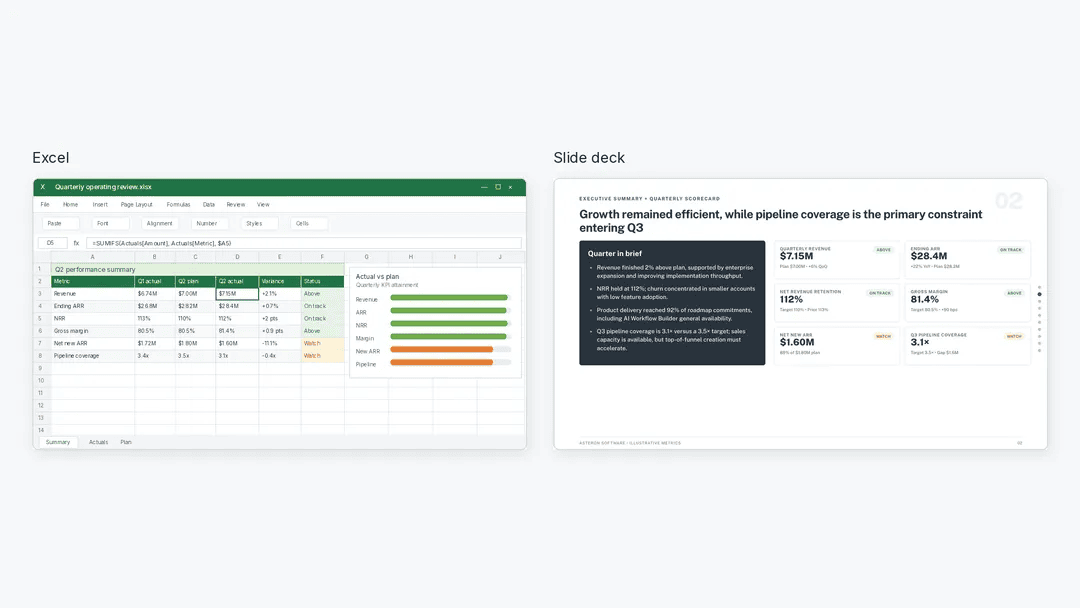
Loading the full article…
This text was published by KDnuggets and written by KDnuggets. It is reproduced here with attribution so you can read it in full; the rights remain with the publisher. Read it at the source ↗
The headline, key points and digest above were generated by Digest AI's editorial model from the linked sources. Automated summaries can contain errors: the sources are the record. Spotted a mistake? Tell us. Published by Martin K., who runs Digest AI and handles corrections.
More in Marketing & Small Business
All →- Claude Opus 5.5 costs 60% less than Fable 5.1 for writing tasks · 2 src
- LLM positioning lag misleads users about updated brands · 1 src
- User gets free month of ChatGPT Plus Trial · 2 src
- ChatGPT Images 2.0: manuals work better without human hands · 1 src
- Marissa Mayer’s Dazzle turns camera rolls into personalized AI suggestions · 1 src
Comments
via GitHub Discussions