Google Sheets lets users embed AI consultation links as comments with LET
The author describes how the LET function in Google Sheets can be used to store values, strings and even URLs inside a single formula. By assigning the result of an IMPORTRANGE call to a variable, the same external data is fetched only once, reducing processing load. Additional string variables such as memo1 or memo2 act as human‑readable comments, because they are ignored by the calculation.
What you can do with it
AI at Work →Avoid repeated data fetches with Google Sheets
What you get You can track AI consultation.
Stores comment strings and web addresses.
- Who for
- marketers
- Cost
- free
- Effort
- minutes
Use it for
- Document formula logic
- Track AI consultation
- Avoid repeated data fetches
How to set it up · From the article
- Define a variable for the external URL.
- Assign the IMPORTRANGE result to a DATA variable.
- Add memo strings or a URL as unused variables.
- Use the DATA variable in subsequent calculations.
Watch out Only works in Google Sheets
Key points from the news
- LET lets you assign the IMPORTRANGE result to a variable, avoiding repeated fetches.
- String variables (memo1, memo2) inside LET serve as human‑readable comments.
- A URL to the AI consultation thread can be stored in a LET variable for easy reference.
Beyond simple notes, the author stores a link to the generative‑AI conversation that helped create the formula in a variable called memo0. When the formula is later inspected, clicking the URL jumps straight to the original AI thread, preserving the rationale, discarded ideas and any follow‑up discussion. This technique turns the formula itself into a lightweight documentation layer, useful for anyone who maintains complex spreadsheets over months or years.
The piece also advises that users can ask generative AI for function suggestions, efficiency checks, or readability improvements, then capture the AI’s guidance directly in the sheet. Embedding the dialogue makes future edits faster and keeps the context of decisions close at hand.
Leaving 'Consultation History' Comments in Google Sheets Formulas
note.com · 18 October 2026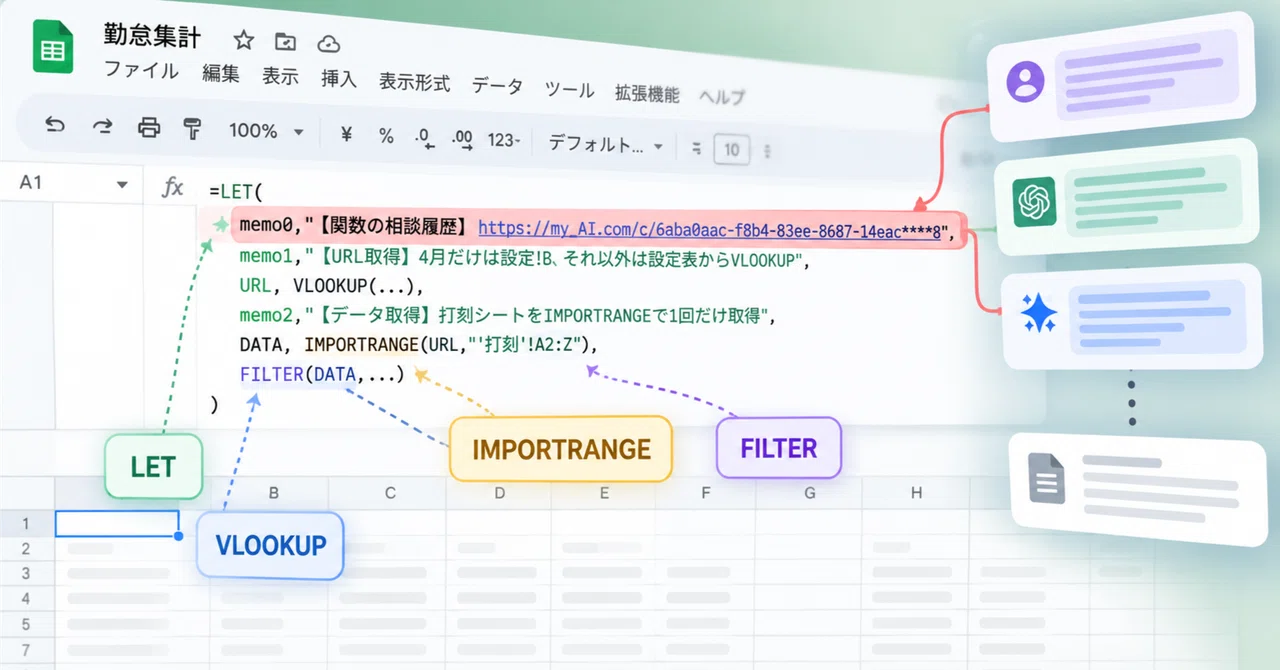
Loading the full article…
This text was published by note.com and written by 近藤敏矢. It is reproduced here with attribution so you can read it in full; the rights remain with the publisher. Read it at the source ↗
The headline, key points and digest above were generated by Digest AI's editorial model from the linked sources. Automated summaries can contain errors: the sources are the record. Spotted a mistake? Tell us. Published by Martin K., who runs Digest AI and handles corrections.
More in Marketing & Small Business
All →- OpenAI announces dots, a resident AI agent for ChatGPT · 2 src
- ChatGPT Traffic Drop Appears To Be A Tracking Problem via @sejournal, @MattGSouthern · 3 src
- Adobe adds AI agents to Marketo Engage for lead data cleanup · 1 src
- Google restricts Pro AI models in Google AI Plus after November 13 · 1 src
- Google launches Universal Cart across Search and Gemini app in the US · 4 src
Comments
via GitHub Discussions