Claude Code 2.1.277 adds official support for agents.md configuration files
Claude Code version 2.1.277 has introduced official support for the AGENTS.md configuration file, allowing users to choose from four distinct modes to manage project instructions. Previously, developers had to manually import AGENTS.md into CLAUDE.md or use symbolic links. The default setting reads AGENTS.md only when no CLAUDE.md file is present, meaning existing repositories will see no…
Key points
- Claude Code 2.1.277 officially reads AGENTS.md files using four configurable modes.
- MiniMax released an open-source coding CLI under the MIT license.
- MiniMax's CLI benchmark claims 76.7% success, but tests were not third-party verified.
Other notable developments include MiniMax releasing its own coding CLI as open-source software under the MIT license. MiniMax claims its tool achieved 76.7% on its own FrontierHarness Eval benchmark, outperforming Codex at 66.7% and Claude Code at 63.3%. However, these tests were not standardized or verified by a third party, and the MiniMax run utilized Kimi's China API while competitors used public baselines.
Model page: GPT-6 Astra →
[9/19] Top 5 AI Trends This Morning | Claude Code Officially Supports AGENTS.md, ChatGPT Controls Home PC
note.com · 18 September 2026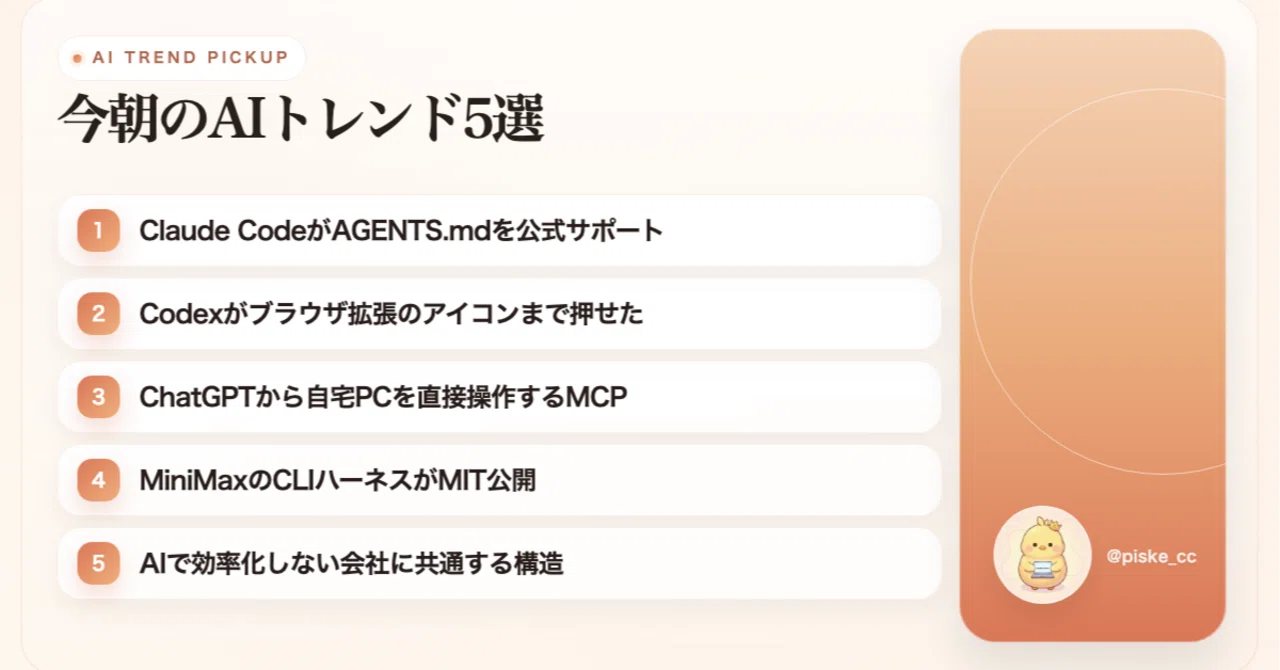
[9/19] Top 5 AI Trends This Morning | Claude Code Officially Supports AGENTS.md, ChatGPT Controls Home PC
When I lined up this morning's trends, they were all pointing in the exact same direction. How much of your own environment should you open up to AI? That is the topic.
Claude Code's official support for AGENTS.md is about where to place rules, Codex's Chrome extension manipulation and ChatGPT's PC control are about the scope of what to let it touch, and MiniMax's CLI release is about the foundation for running things. None of these are about the models getting smarter; they are about organizing what is outside the model.
I summarized each topic briefly in an X thread, but when I went to read the official repository's README, there were quite a few configuration values and pitfalls that didn't fit into the post. I'll lay them all out here.
1. Claude Code officially supports AGENTS.md
Starting with Claude Code 2.1.277, it can now officially read AGENTS.md. You choose from four modes under Project instructions in /config.
Until now, the official documentation explicitly stated that 'Claude Code reads CLAUDE.md, but does not read AGENTS.md,' so if you wanted to consolidate common rules into one place, you had to write @AGENTS.md inside CLAUDE.md to import it or create a symbolic link. That extra step is no longer necessary.
These are the four modes you can choose from.
- claude-md : Reads only CLAUDE.md as before
- claude-md-or-agents-md : Default value. Reads AGENTS.md only when there is no CLAUDE.md
- claude-md-and-agents-md : Reads both
- managed-only : Drops all personal/project instruction files and keeps only organizational management files
Now, here is the part that actually matters.
Since the default is 'only when there is no CLAUDE.md,' nothing changes for repositories that already have a CLAUDE.md. Furthermore, the 'project's own CLAUDE.md' used for the check does not include personal settings like ~/.claude/CLAUDE.md or directories added via --add-dir.
Another common point of failure is where to place the settings. Since this option is treated as a plugin setting, it won't work even if you write it in the project's .claude/settings.json. The worst-case scenario is thinking it's working because you wrote it in a team-shared configuration file. You must set it from ~/.claude/settings.json or /config.
So, which one should you make the master copy? If you are also using Codex or Cursor, it's straightforward to lean toward AGENTS.md, but there are residuals. Additions made via /memory or the # shortcut don't know about AGENTS.md, and it won't be read from directories added via --add-dir. If you have a workflow where you add insights daily using #, it's safer to keep CLAUDE.md as the master copy to avoid accidents.
Also, a common issue after consolidating into one file is making it bloated by putting everything in it. The more instructions you have, the weaker each one becomes. When they start to grow, the right approach is not to add more, but to split them by directory.
2. Codex was even able to click browser extension icons
This is about someone who wanted to save hundreds of articles they were interested in on note to Obsidian. At first, they had Codex save them directly, but the layout of articles with images broke.
So, when they asked it again, saying 'Save them using the Obsidian Web Clipper I usually use,' Codex clicked the extension icon in the Chrome toolbar and processed over 100 items just like that.
What's interesting here is the decision to stop building from scratch and switch to having it click an existing tool. If you have AI build something from zero, the tuning for layout breakage goes on forever. If you just have it click the button of an already polished extension, you don't need that adjustment at all.
There are multiple paths for Codex's browser and PC operation. These include the built-in browser, a Chrome extension that controls the user's Chrome, Computer Use which can touch apps outside the browser, and Playwright for test automation. While it's impossible to identify which one was used just from a post, the Chrome extension was released to the public in May 2026 and can use logged-in Chrome sessions as they are. Its feature is the ability to operate live services like LinkedIn, Salesforce, and Gmail without needing to log in again.
There is one practical point: question the tasks you are currently trying to have the AI build from scratch. If a process can be completed by existing buttons in a browser extension or SaaS, it might be possible to finish it just by having the AI press those buttons.
As a note of caution, using a logged-in session as-is means it operates with the exact permissions of that account. If you are testing this with a work account, it is better to decide the scope of what it can touch beforehand. By the way, the poster also tried it on the Claude Code side and wrote that they couldn't operate the extension icon.
3. Remote MCP for controlling your home PC directly from ChatGPT
A story about connecting an app called Remote Desktop Commander to ChatGPT to control a home PC.
Reading the attached screenshots, after authentication, it even performs file writes and background execution of Blender. Moreover, when an error occurred with FFMPEG formatting once, the remote side corrected it to PNG output on its own and continued.
The core is the official Remote MCP server for Desktop Commander, which allows you to connect to your PC not just from ChatGPT, but also from claude.ai and Cursor. Authentication uses OAuth 2.0 + PKCE, and communication is encrypted via HTTPS/TLS.
It sounds well-made so far, but the most important part is the following sentence.
The tool runs on the paired machine with the exact permissions of your user account.
The official documentation also states that the connected AI account should be treated as equivalent to credentials and protected with MFA. In other words, if your ChatGPT account is compromised, the shell of your home PC is handed over as-is.
The saving grace is that the way to stop it is simple. It is reachable only while the agent on the device side is running, and it goes offline if you stop the process. If you operate it by launching it only when you need it, you can significantly reduce the risk of leaving it connected.
If you are going to test this on a work PC, you should consider these three things as a set: limiting the directories it can touch, stopping the agent when not in use, and enabling MFA on the AI account side.
4. MiniMax's coding CLI released under MIT license
If the previous points were about the 'scope of what to let it touch,' this is about the release of the 'foundation for running it' itself.
MiniMax, known for its video generation AI, has released its own coding CLI as OSS under the MIT license. Reports from people who have actually tried it are trending this morning.
The point is that it's not the model being released, but the harness (the framework for running the model). There are four points of refinement mentioned by the poster.
- How to pass context
- Stability of Tool Calls
- State retention
- Recovery from failure
All of these are on a different level from the intelligence of the model itself. Even with the same model, the success rate and token consumption vary depending on the quality of these four aspects. In fact, the poster wrote that they swapped in DeepSeek-v4.1, GPT-6 Astra, and Kimi-K2.8 pre to run it.
However, we should look at this calmly. The benchmark (FrontierHarness Eval) circulating alongside it is a measurement published by MiniMax themselves. On the graph, MiniMax Code is at the top with 76.7% in 4 minutes and 33 seconds, followed by Codex at 66.7% in 6 minutes and 43 seconds, and Claude Code at 63.3% in 9 minutes and 38 seconds. But if you read the notes, the MiniMax Code side used Kimi's China API, while the comparison targets were public baselines, meaning the models and infrastructure were not standardized. It is also not a third-party verification.
The claim about token efficiency is also based on the poster's personal experience, and no actual measured values have been released. If you are curious, it is best to pick just one routine task you do often and run it with both the CLI you are currently using and the new one to compare. The difference in your own work is a better basis for judgment than benchmark rankings.
Also, you need to decide for yourself how much of your development environment you want to expose to an OSS CLI. You should decide where to store your API keys and which directories to run it in from the start.
5. The common structure in companies that don't become more efficient even after introducing AI
If the previous four points were about the 'opening up' of the technical side, this last one is about the field.
The gist of the criticism is as follows.
- Companies that don't become more efficient after introducing AI tend to reject their existing methodologies and try to find ways to use it from scratch
- As a result, the time for actual work is cut into by AI trial and error
- Instead, the organization should find places where AI fits within existing procedures
- Once it fits, make it a mandatory part of organizational rules
What hit home the most was the part about 'individuals just consuming tokens, resulting in a mountain of trash.' I think quite a few people can relate to that.
This feeling aligns with official figures. The 2026 Annual Economic and Fiscal Report shows a gap between efficiency gains from AI adoption and actual labor hours, indicating that the feeling of 'feeling more efficient but not working fewer overtime hours' is not an individual illusion but is happening as a structural issue.
There are also counter-examples; note inc. explicitly stated an upward revision of operating profit in their financial results after rolling out Claude company-wide. Those who have replaced individual ingenuity with organizational procedures are seeing it reflected in the numbers.
As a practical tip, don't leave successful procedures in individual chat histories. I consolidate tasks I use often into files as skills, so that no matter who executes them, they follow the same flow. When procedures are in files, improvements and handovers can be handled just by editing those files.
However, one word of caution: if you standardize rules first, you will end up fixing inefficient usage patterns as well. You need a stage to first gather successful patterns in a visible place.
Looking at today's trends from a bird's-eye view
If you organize this morning's top 5 into three layers, it becomes clear.
- Configuration layer : Official AGENTS.md support. Where to place the rules
- Execution environment layer : Chrome extension operations, PC control via remote MCP. How much access to allow
- Foundation Layer : MiniMax Code released as OSS. What are you running it on?
What they all have in common is that none of them are about the models getting smarter. The focus has shifted entirely outside of the models.
And this is where the fifth point comes into play. As openness increases, the question of who decides the scope becomes more significant. Whether it's the mode selection in AGENTS.md or PC control permissions, if left alone, they remain at their default settings, with no one really keeping track of them.
Models are replaced every month, but these decisions accumulate. Today, this is likely where the highest investment value lies.
Summary
The key points from this morning in four lines.
- Official AGENTS.md support doesn't change anything in existing repositories by default. You can't even write it into the project's settings.json.
- There are times when it's faster to have AI operate polished existing tools rather than having it build things from scratch.
- PC control MCPs use your account permissions as they are. Use them only when you need to launch them.
- Harness benchmarks are vendor-reported figures. It's more reliable to compare them using your own routine tasks.
Was there anything in today's trends that seemed relevant to your work?
I post a summary of AI trends every morning and evening on X. On Note, I dig deeper into things like settings and pitfalls that didn't fit into the posts, so I'd be happy if you followed me there.
This text was published by note.com and written by ぴすけ|仕事で即使えるAI効率化. It is reproduced here with attribution so you can read it in full; the rights remain with the publisher. Read it at the source ↗
The headline, key points and digest above were generated by Digest AI's editorial model from the linked sources. Automated summaries can contain errors: the sources are the record. Spotted a mistake? Tell us.
More in Agents & Tools
All →- Injective partners with Microsoft for onchain agentic commerce event on Oct 6 · 1 src
- meta platforms launches muse ai agent for mac · 14 src
- OpenClaw releases version 2026.9.5 with atomic updates and plugin hot reload · 1 src
- Opinion: AI agents boost solo hackathon productivity, author prefers GPT-6 Astra · 1 src
- Freelance developer’s overreliance on Claude damages 50,000 users · 1 src
Comments
via GitHub Discussions