Zapier lets multiple AI tools share one MCP server
Zapier introduced a new capability in its Multi-Client Platform (MCP) that lets a single server be shared across multiple AI tools. Teams using Claude, ChatGPT, Cursor and similar services can connect each tool as a client to the same server, giving every client the same apps, actions, skills and tool‑call history.
What you can do with it
AI at Work →Share app actions with Zapier MCP
What you get You can manage apps, actions, and histories for all your AI tools in one place.
Centralizes apps, actions, and tool call history across Claude, ChatGPT, Cursor, etc.
- Who for
- marketers
- Cost
- included in a tool you already have
- Effort
- minutes
- Already included in
- All Zapier plans
Use it for
- Connect multiple AI tools
- Share app actions
- View unified tool history
How to set it up · From the article
- Open the server at mcp.zapier.com
- Go to the Clients tab and select Connect client
- Pick the AI tool from the list
- Follow its setup steps or swap client
Watch out Skills work only in automated mode; managed mode shares apps but not skills
Zapier MCP in the tool directory · 2 changes covered
Key points from the news
- Zapier MCP now lets a single server be shared by multiple AI tools such as Claude, ChatGPT and Cursor.
- Apps, actions and tool call history added to the server become available to all connected AI clients.
- The shared server is included in every Zapier plan, but skills work only in agentic mode.
Adding a client is done through the MCP UI at mcp.zapier.com. The article lists four steps: open the server, go to the Clients tab, select “Connect client”, pick the AI tool and follow its setup steps (or swap it from another server). Once added, any app added to the server becomes available to all connected AI tools, and the unified history shows what each tool did in an app. The server’s mode applies to all clients; in managed mode admins can restrict actions, while skills are only shared in agentic mode. The shared server is included in every Zapier plan, and only owners or editors can add clients.
Zapier positions the shared MCP server as a central hub for coordinating AI workflows, reducing duplicate setup and giving administrators a single point of control.
Use one Zapier MCP server across all your AI tools
Zapier Blog · 20 October 2026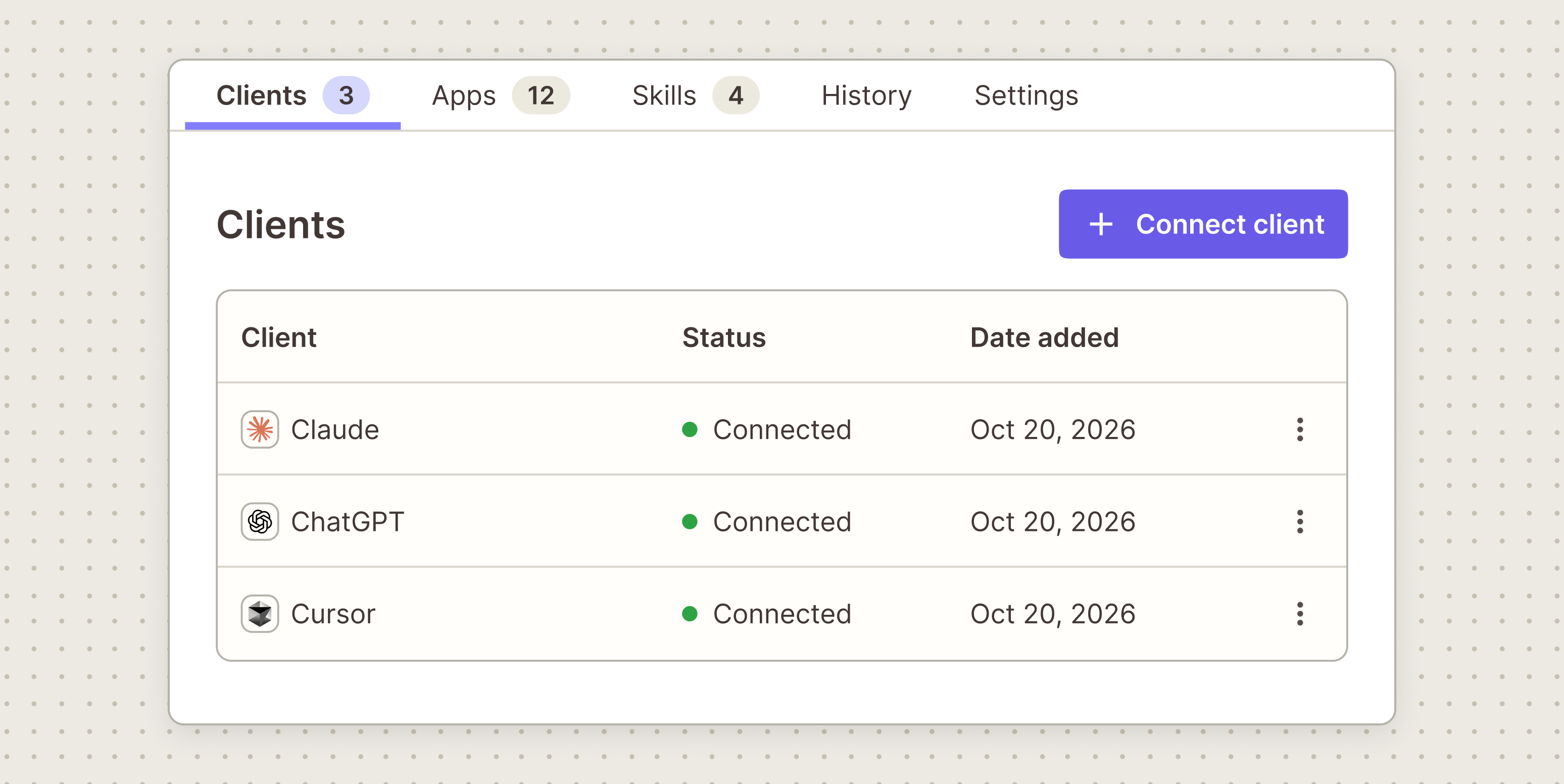
Loading the full article…
This text was published by Zapier Blog and written by Joe Stych. It is reproduced here with attribution so you can read it in full; the rights remain with the publisher. Read it at the source ↗
The headline, key points and digest above were generated by Digest AI's editorial model from the linked sources. Automated summaries can contain errors: the sources are the record. Spotted a mistake? Tell us. Published by Martin K., who runs Digest AI and handles corrections.
More in Marketing & Small Business
All →- Cisco unveils AI-driven Webex enhancements for small businesses · 1 src
- Mark Williams‑Cook reveals $13,337 Google bug bounty from network‑tab analysis · 1 src
- BrightEdge reports American Airlines tops AI holiday travel recommendations · 1 src
- Azoma raises $11.2M to help brands optimize for AI shopping agents · 1 src
- China’s advertising association publishes five‑part GEO standard after TV scandal · 1 src
Comments
via GitHub Discussions