Opinion: Using ChatGPT Work, plateau and video AI to streamline Blender production
The author experimented with ChatGPT Work handling Blender tasks for a 3DCG aerial shot of an arena modeled after Ariake. After many minor revisions – camera tweaks, lighting changes, and building placements – usage of the AI grew unexpectedly. To avoid building the whole city from scratch, they imported PLATEAU’s real‑world 3D city models and only added missing details in Blender.
Key points
- Used PLATEAU city models to avoid hand‑crafting Ariake buildings in Blender.
- Iterated from v002 to v60, then switched to PixAI video generation using a GPT Images 2.5 final‑look image.
- Lessons: define final look early, reduce AI task scope, combine Blender for reusable assets with video AI for short highlights.
A storyboard defined an 8‑second exterior sequence, but the initial straight‑line camera movement felt boring. The author added a wrap‑around motion, tried a 60‑second version, then settled on a 15‑second cut that felt natural. Near version v10 the major elements (camera, city layout, arena, lighting) were in place, but dozens of incremental revisions (v20‑v60) yielded little visual progress. A final‑look image was generated with GPT Images 2.5 using a Google Earth reference, then both the Blender animation (movement) and the image (appearance) were fed to PixAI video‑generation AI, producing the final YouTube clip.
The piece ends with three takeaways: create a final‑look image early, limit the tasks you ask AI to perform, and use Blender for long‑duration, reusable assets while reserving video‑generation AI for short, high‑impact cuts. This is an opinion reflection on workflow rather than a news report.
A story about letting ChatGPT Work handle Blender too much. Trying to reduce workload with PLATEAU and generative AI
note.com · 21 September 2026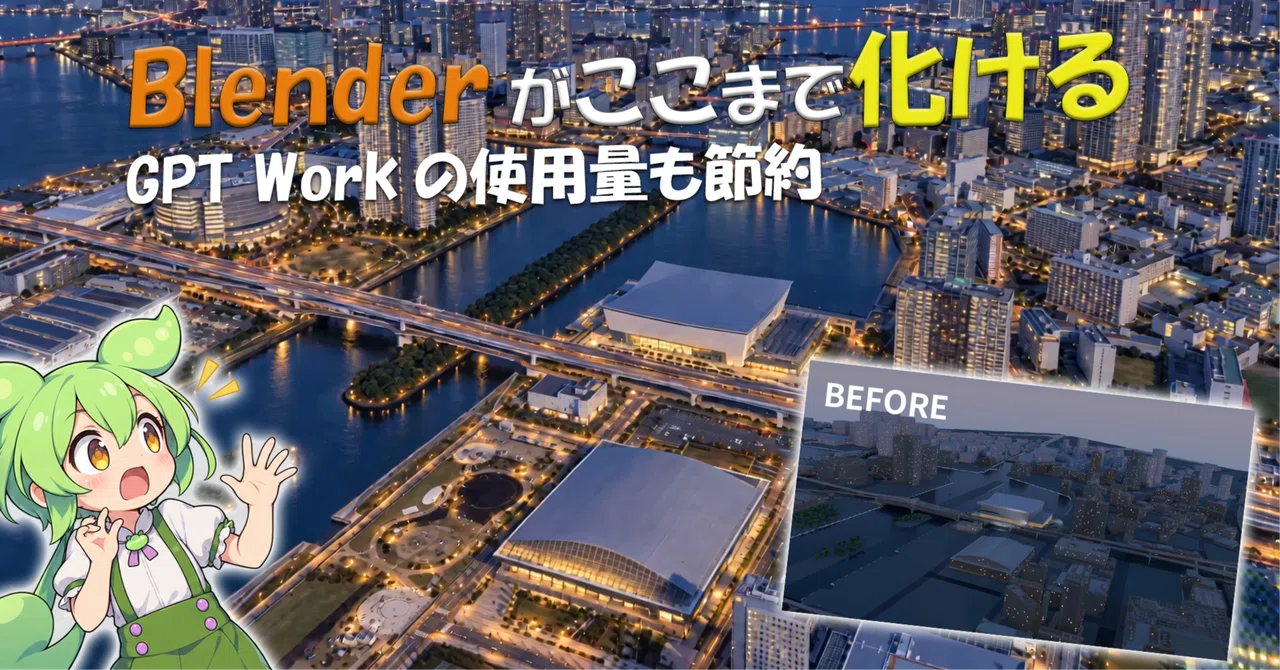
A story about letting ChatGPT Work handle Blender too much. Trying to reduce workload with PLATEAU and generative AI
Recently, I've been seeing more production methods where people have ChatGPT Work operate Blender to create 3DCG, and then finish it off with video generative AI.
In fact, having AI handle Blender for you is quite convenient.
However, once you start doing it, other problems arise.
3D editing is prone to an increasing number of revisions.
“Move the camera a bit more to the right,” “The building placement is wrong,” “I want to change the brightness,” “This part looks a bit empty.”
When you have Work do all these minor tasks, it consumes more usage than you'd expect.
So this time,
I tried video production with the goal of reducing the actual work done by Work, by using pre-design and existing assets instead of having ChatGPT Work create everything.
I experimented with this approach.
What I created this time is a 15-second aerial shot approaching an arena from the Ariake area.
On YouTube, I introduce the production process while comparing the actual footage.
I didn't intend to use video generative AI from the start
Looking at the finished version, it might seem like it was premised on converting footage made in Blender using video generative AI.
But in reality, that's not the case.
In the initial plan, I intended to finish the final video using only Blender.
First, on standard ChatGPT,
“What kind of MV to make,” “What kind of camera work to use,” “Which venue to use as a reference”
I decided on policies like these.
Ultimately, I settled on a composition where the camera approaches a venue modeled after Ariake Arena from above the bay area.
I also created a storyboard beforehand.
Regarding the exterior scene,
overview of the bay area → approach to the arena → dive to the roof
is the flow. In the production materials, I designed Cuts 1 to 3 with this structure.
Up to this point, things were going relatively well.
I stopped modeling the entire city of Ariake
The next issue is the 3D model.
If you think about recreating the Ariake area, normally you would need a massive number of buildings.
However, making ChatGPT Work create them one by one is, by any measure, not efficient.
That is where I used PLATEAU.
Since PLATEAU has 3D city models based on actual cities, there is no need to create the building layout around Ariake from scratch.
In this production material as well, the policy was to use PLATEAU as the backbone for the surrounding cityscape and supplement only the missing parts in Blender. ariake_exterior_brief_v5.mdMD
With this,
"building the city"
was a major task that I was able to significantly cut down.
What I felt at this time was,
just because AI can create it, doesn't mean you have to make AI create everything
If you want to reduce the usage of Work, rather than streamlining the operations, it is better to reduce the tasks you ask the AI to do in the first place.
This was a very significant point this time.
When I animated it according to the storyboard, it was boring as a video.
I imported PLATEAU into Blender and then started creating the camera work.
In the first version, v002, I followed the storyboard and created a movement where the camera heads straight toward Ariake Arena.
The composition was not wrong.
It was indeed heading toward the arena.
But when I actually watched it as a video,
it was quite monotonous.
Since it was almost a straight-line movement, there was little change on the screen.
So, I added a wrap-around movement to the camera.
Then, the cityscape of the bay area began to flow horizontally, and the way the arena looked also started to change.
It became much more interesting as a video.
However, another problem arose.
It was too fast.
It was too fast for an aerial shot at 8 seconds
In the initial storyboard, I had planned the exterior part to be about 8 seconds long.
But if you do a movement that approaches the arena while wrapping around in 8 seconds, it looks quite frantic as a drone or helicopter aerial shot.
So, I tried making a 60-second version where the movement was significantly slowed down.
This time, the sense of speed as an aerial shot was not bad.
However, if it takes 60 seconds, the music video won't start for a while.
In the end,
8 seconds → 15 seconds
I changed it to.
Instead of sticking to the length of the storyboard, I adjusted it to a length that feels natural as a video after actually moving it in 3D.
What I realized again here is that
the storyboard is not the correct answer, but a starting point
By around v10, it had taken quite a shape
After the camera work was finalized, I refined the look in Blender.
At the stage of around v10,
- camera work
- city layout
- arena
- time of day
- basic lighting
and other structural elements of the video were largely complete.
At this point,
"I thought it would be finished if I just made fine adjustments in Blender from here."
I thought.
From there, I repeated minor corrections, moving on to v20, v30, v40...
And finally, it progressed to nearly v60.
However, when comparing v10 and v60 side by side,
while it certainly has improved, it didn't really feel like it was getting closer to the final video despite the amount of work put in.
In the script, I also made this part follow the flow of 'I was making small corrections to weird spots, but it didn't change much.' yourube_script_draft.txtTXT
It was here that I realized a major problem for the first time.
I had a storyboard. But I didn't have a 'final look'.
This time, I created the storyboard at a fairly early stage.
Therefore,
'What to film'
'Where to move the camera'
were already decided.
However,
what kind of video I ultimately wanted to create
was a goal for the look that I hadn't properly established.
'I want it to look like blue hour'
'I want it to look urban'
'I want it to be a bit more realistic'
It was in such a vague state.
As a result,
'A little brighter', 'A little more realistic', 'Add something because it feels empty'
I ended up repeating these minor corrections.
I think this was one of the reasons why the usage of Work increased.
I created a finished image using GPT Images 2.5 based on Google Earth.
So, at a fairly late stage, I finally decided to create a finished image.
I displayed the area around Ariake Arena in Google Earth, and based on that image, I used GPT Images 2.5 to generate
"this is the kind of video I want to end up with"
a single image.
Blue hour.
City lights.
Reflection on the water surface.
Road lights.
Urban density around the arena.
I was quite surprised when I saw the finished image.
Because,
the finished image and the v60 Blender video were quite far apart.
For the first time here,
"Was this the image I wanted?"
I realized.
Honestly, I should have done this process much earlier.
I should have created the final image first
This was the biggest lesson learned this time.
Create not just the storyboard, but also the final look at the very beginning.
A storyboard is for deciding
what to shoot and how to shoot it.
It is something that determines that.
On the other hand, a final look is for deciding
what kind of texture, lighting, and level of detail to aim for in the end.
It is something that determines that.
This time, I made the former first and put off the latter.
As a result, from v10 onwards,
I continued working in Blender while the definition of
what constitutes completion remained vague.
If I were to do a similar production next time, I think I would create a single final look image at a very early stage.
Since it's 15 seconds long, I decided to convert it using video generation AI.
After the final look was created,
there was also the option of
further refining the Blender work from there.
Building materials.
Streetlights.
Cars.
Roads.
Water surfaces.
Window lights.
If you refine these further, you could complete it using only Blender.
However, what I am making this time is a 15-second aerial shot.
So, this time,
I thought, wouldn't it be more rational to just convert it using generative AI for these 15 seconds?
I thought.
Use the Blender video as a guide for camera work and spatial layout.
Use the image created with GPT Images 2.5 as a guide for the final look.
I passed these two to PixAI and converted them.
In other words,
Blender video = movement and composition
Generated image = appearance
This is the division of roles.
The result is the aerial footage I published on YouTube this time.
So, is it okay to just use generative AI for everything from now on?
When I actually tried converting it,
I also thought, "If it changes this much, maybe I don't need to finish it in Blender anymore?"
I think so too.
However, I personally do not think so.
This time it was 15 seconds, so I used a video generation AI.
On the other hand, for music videos that are several minutes long, trying out video generation with multi-reference support repeatedly is quite costly.
Furthermore, with Blender, once you have created a
- city
- arena
- camera
- lighting
- 3D asset
, you can reuse them in other cuts.
You also keep proper 3D data on hand.
Therefore, I think it is better to judge based on
which is better suited for that cut
, rather than
Blender versus video generation AI
What I learned this time
The following three points were particularly significant in this production.
1. Create not only storyboards but also the final look at an early stage
Decide not just what to shoot, but also what you want the final image to look like.
2. Don't make ChatGPT Work create everything from scratch
Use existing data and assets like PLATEAU wherever possible.
To reduce Work usage, it is better to reduce the tasks you ask the AI to do rather than trying to operate the AI faster.
3. Don't pit Blender against video generative AI
Use Blender if you prioritize long duration or reusability.
Use video generative AI for short highlights or cuts where you want to drastically change the look.
Use them differently depending on the purpose.
I have summarized the actual comparison on YouTube.
In this article, I focused on the production philosophy.
The differences in
v002 straight camera → added wrap-around→ 60-second speed test→ 15-second version→ v10→ v60→ after AI conversion
On YouTube, I have summarized the production process with VOICEVOX commentary by Zundamon and Shikoku Metan.
▶ Blender transforms this much! AI aerial filming techniques to reduce ChatGPT Work usage
Also, as a continuation of this, the storyboard includes an idol live scene inside the arena.
I have also created a pre-visualization for this in Blender and proceeded with conversion tests using a different video generative AI.
I plan to summarize that in another article or video.
Finally
What I felt after trying this is that
making the AI do everything is not necessarily the state where you are utilizing the AI the most
That was the situation.
Use data that is already available.
Decide what can be decided by the human side first.
Separate the parts to be created in 3D from the parts to be left to generative AI.
As a result, that reduces the amount of Work usage, and the finished product remains properly in your hands.
And above all,
Create the final image first.
From now on, I want to make sure I don't forget this.
This text was published by note.com and written by RHU. It is reproduced here with attribution so you can read it in full; the rights remain with the publisher. Read it at the source ↗
The headline, key points and digest above were generated by Digest AI's editorial model from the linked sources. Automated summaries can contain errors: the sources are the record. Spotted a mistake? Tell us.
More in Marketing & Small Business
All →- Opinion: marketers should produce fewer AI‑generated assets to avoid bottlenecks · 1 src
- Darren Shaw and Russ Jeffery outline how to make local pages AI‑ready · 1 src
- Quartile becomes technology partner for advertising in ChatGPT · 2 src
- Semrush provides 16 MCP prompts for Claude and ChatGPT · 3 src
- Opinion: personal experience, voice, and judgment curb AI-like feel in ChatGPT articles · 2 src
Comments
via GitHub Discussions